About this course
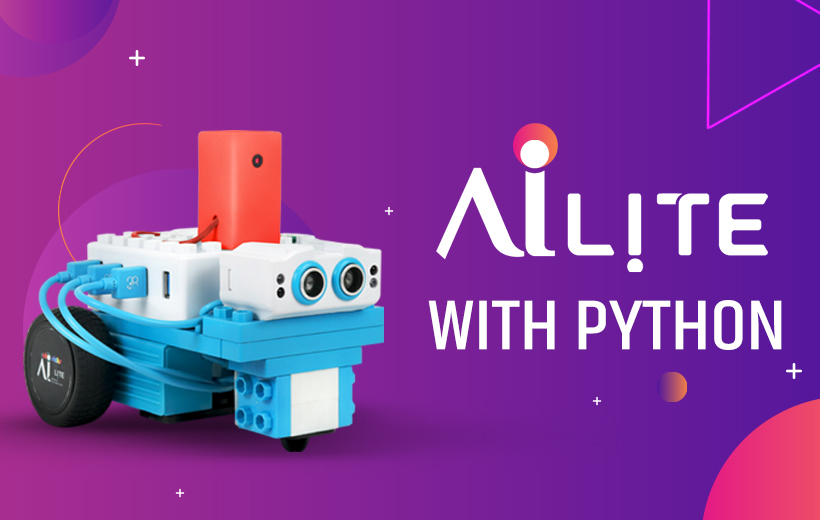
This course introduces learners to the exciting world of robotics and artificial intelligence through MIT App Inventor and AI Lite, a programmable smart bot. Students will learn how to design, code, and control AI Lite using intuitive visual programming blocks bridging mobile app development and real-world robotics.
Starting with basic motion control using on-screen buttons, learners will progressively explore voice, light, and motion-based interactivity, as well as AI-driven features like image recognition, facial emotion detection, gesture response, and autonomous navigation.
Hands-on projects will guide students through:
Motor and movement control via buttons, voice commands, and sensor inputs.
Light-based automation using LDR sensors to move in response to brightness.
Speed and directional control through compass and tilt sensors for intuitive movement.
AI & Machine Learning integration with the Personal Image Classifier (PIC) for recognizing objects, faces, traffic signs, and accessories like spectacles.
Optical Character Recognition (OCR) to interpret printed data and respond accordingly.
Emotion and gesture-based interactions, enabling AI Lite to dance, greet, or react to facial expressions and hand gestures.
Autonomous behavior using ultrasonic and IR sensors for object tracking and obstacle avoidance.
Remote control and monitoring through live camera streaming and mobile-based directional control.
Fitness and movement tracking, using built-in phone sensors for step counting and distance measurement.
Conversational interactions through chatbot-style yes/no recognition and decision-making.
By the end of this course, learners will have built a fully interactive, AI-powered robot capable of responding to the environment, voice, gestures, and emotions — combining the power of coding, AI, and real-world robotics in a single creative learning experience.
Comments (0)
Understand how to set up Python and explore its basic features and environment.
Identify and use Python's built-in data types effectively in programs.
Learn how to declare, initialize, and manipulate variables in Python.
Recognize reserved keywords and define valid identifiers for naming variables and functions.
Convert data from one type to another using explicit and implicit casting.
Use arithmetic, relational, logical, and bitwise operators to perform operations.
Accept user input and implement decision-making logic using conditional statements.
Implement loops to repeat actions and apply basic string operations.
Understand lists, tuples, sets, and dictionaries and perform operations on them.
Create and invoke custom functions and utilize Python's built-in functions.
Implement object-oriented principles using classes, objects, methods, and attributes.
Understand and differentiate between AI and robotics, analyze real-world applications, and explain how the combination of both technologies benefits various domains.
Understand optical character recognition (OCR) concepts, and use Python libraries like EasyOCR and OpenCV to detect and respond to printed text via camera input.
Explore gesture recognition using webcam input, apply fingertip detection with MediaPipe, and control the robot using Python-based interpretation of hand movements.
Learn to track head movements using facial landmarks (e.g., nose tip) via MediaPipe Face Mesh, and translate motion into control actions using Python and OpenCV.
Understand emotion recognition techniques, and apply deep learning using TensorFlow and OpenCV to identify facial emotions and trigger corresponding robot responses.
Use Python to capture keyboard inputs and send HTTP commands using the requests and keyboard libraries to control bot movement over a local network.
Implement multithreaded webcam streaming and manual control using Python libraries like cv2, keyboard, requests, and threading for real-time surveillance tasks
Learn to perform real-time face recognition using DeepFace and OpenCV, and enable restricted control by validating identity through captured video frames.
Recognize multiple authorized users by capturing webcam frames and comparing them with stored references using DeepFace and OpenCV for secure access control.
Understand speech-to-text conversion using speech_recognition, and use recognized voice commands with Python’s requests and re libraries to operate the robot.
Build a simple Python-based chatbot integrating speech recognition and decision logic, sending HTTP commands to the bot based on user interaction.
Develop a GUI-based Tic Tac Toe game using tkinter, implement game logic with Minimax AI, and send movement commands to the bot based on the game result.
Create an interactive Rock-Paper-Scissors game using tkinter and random modules, and control the robot with HTTP requests based on the game outcome.
Integrate a Teachable Machine face recognition model with Python using keras, cv2, and requests to classify users and perform robot control actions.
Use Python and the requests library to send commands for basic bot movements (forward, backward, left, right), and understand IoT communication flow.
Implement speed-based robot control using Python, capturing keyboard input via the keyboard library and sending speed-specific HTTP commands dynamically.
Learn to use binary-style user inputs ("Yes" or "No") to control robot actions through Python functions and conditional HTTP request logic.
Understand infrared sensor behavior, and apply conditional logic in Python to make real-time movement decisions when obstacles are detected.
Use Python and HTTP communication to process ultrasonic sensor distance readings and implement following behavior within defined thresholds.
Load and apply a Teachable Machine model in Python to detect object color using keras, OpenCV, and NumPy, and trigger robot actions accordingly.
Implement real-time color detection logic using sensor data in Python, and control the robot's motion based on color-coded signals (e.g., red for stop).
Understand binary digit (0/1) interpretation, and control robot movement using touch input detection and Python’s http.client for command transmission.
Learn to capture and decode Morse code via touch sensor inputs, and map decoded sequences to robot movement using Python’s timing and HTTP features.
Learn the principles of object detection in computer vision, explore deep learning techniques using models like YOLOv8, and implement object-based decision-making using Python and OpenCV.