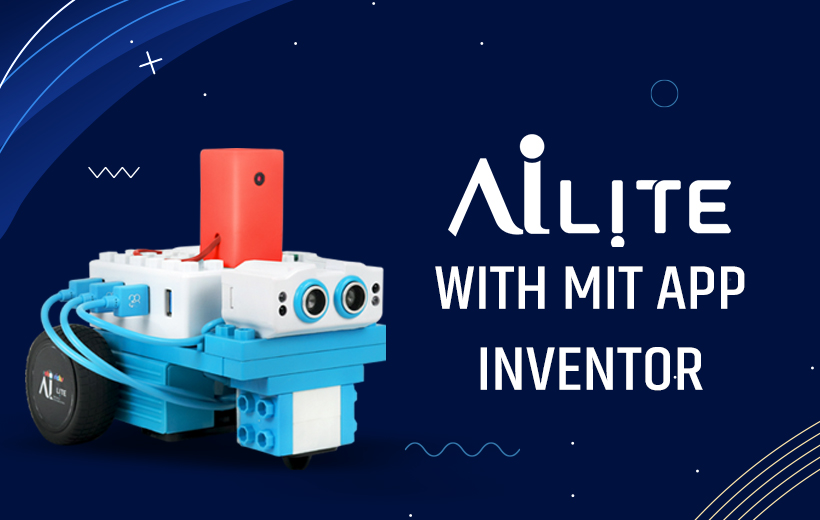
AI Lite with MIT App Inventor
in Artificial IntelligenceAbout this course
This course offers a comprehensive, hands-on journey into MIT App Inventor, visual programming, mobile sensor integration, and AI Lite robot control. Students begin by learning the foundations of App Inventor, gradually progressing toward advanced robotics, sensor-based interaction, machine learning, and AI-driven behaviors.
Through a series of engaging, structured modules, learners will design mobile apps, build games, interact with hardware sensors, and program the AI Lite robot using on-screen controls, spoken commands, gesture recognition, and machine learning models. By the end of the course, students will confidently design creative applications and develop intelligent robot behaviors.
Learning Modules
1. App Inventor Fundamentals
- Introduction to the MIT App Inventor interface, tools, components, and block-based programming.
- Build simple apps using buttons, labels, images, and basic event-driven logic.
- Create a fully functional starter app demonstrating user interaction and UI design principles.
2. Game Development Essentials
- Learn game logic and sprite behavior through the creation of a fun maze game.
- Use the phone’s accelerometer to control in-game movement.
- Understand collision detection, scoring, and interactive gameplay mechanics.
3. Multi-Screen App Design & Fitness Tracking
- Build a two-screen pedometer application featuring:
- Real-time step counting.
- A walker’s interface for distance and activity tracking.
- Explore data persistence, screen navigation, and sensor integration.
4. AI Lite: Basic Motion Control
- Use MIT App Inventor to control AI Lite’s movement with:
- On-screen buttons for start/stop.
- Directional controls for forward, backward, left, and right motion.
- Implement speed-control features for low, medium, and high-speed movement.
5. Voice-Controlled Robotics
- Program AI Lite to respond to voice commands such as:
- “Start moving”
- “Stop moving”
- “Move forward/backward”
- Use speech recognition blocks to build intuitive voice-based robot control.
6. Sensor-Based Robot Behavior
- Integrate hardware sensors with App Inventor to enable smart behaviors:
- LDR (Light Sensor): Move forward in light, stop in darkness.
- Accelerometer Tilt Control: Turn or move AI Lite based on device tilt.
- Compass Sensor: Trigger actions based on directional heading (North, South, East, West).
- IR sensors: Implement obstacle detection and avoidance.
- Ultrasonic sensors: Build object-following autonomous behavior.
7. Gesture & Touch Interaction
- Add swipe and tap gesture controls for smooth robot movement.
- Use the phone’s motion sensors for fluid tilt-based robot navigation.
- Implement remote control using directional buttons with real-time ESP32 camera feed.
8. Machine Learning with Personal Image Classifier (PIC)
- Train custom machine learning models to recognize:
- Traffic signs.
- Spectacles (specs).
- Faces and expressions.
- User-drawn shapes like alphabets and lines.
- Use ML outputs to trigger movement, dancing, spinning, or drawing patterns with AI Lite.
9. Emotion Recognition & Intelligent Reactions
- Use the device camera to detect facial expressions.
- Program AI Lite to:
- Dance when the user is happy.
- Move away when the user appears angry.
- Explore emotion-based interactive robot behaviors.
10. Optical Character Recognition (OCR) Applications
- Implement OCR to read printed speed values.
- Automatically adjust AI Lite’s speed based on detected numbers.
11. Human Tracking, Fitness, and Behavior Mirroring
- Build advanced logic to make AI Lite:
- Track and mirror the user’s walking movement.
- Count steps.
- Measure walking distance and time.
- Integrate multiple sensors and real-time calculations.
12. Chatbot Interaction with AI Lite
- Create an App Inventor–based chatbot to ask yes/no questions.
- Program AI Lite to respond appropriately with movements or behaviors.
13. Hand Gesture Recognition
- Use the camera to detect hand gestures such as open or closed hands
- Trigger robot unlocks, movements, or special actions based on gesture input.
Outcome
- By the end of this course, learners will be able to:
- Build complex mobile applications using MIT App Inventor.
- Integrate mobile sensors, machine learning, and real-time data.
- Develop intelligent robot behaviors using sensors, gestures, and voice.
- Implement ML models for image, object, and gesture recognition.
- Combine creativity, app development, and robotics to solve real-world problems.
Comments (0)
Learn the basics of MIT App Inventor, understanding the interface, and gaining skills in building simple applications using blocks and visual programming.
Create a basic app in MIT App Inventor, exploring key components like buttons, labels, and user interactions to build functional and interactive applications.
Develop a maze game in MIT App Inventor, using the accelerometer to control movement, enhancing skills in game design and sensor integration for interactive gameplay.
Build a pedometer app with two screens: one screen for step counting and another for the walker’s app interface, providing hands-on experience with multi-screen design and fitness tracking.
Program AILite to start and stop motor movement using on-screen buttons in MIT App Inventor, enabling basic control of forward motion.
Program AI Lite in MIT App Inventor to control its movements using buttons, providing interactive and dynamic control of the bot's actions.
Program AILite to recognize voice commands like "start moving" and "stop moving" in MIT App Inventor, allowing the bot to respond seamlessly to speech input.
Enable AI Lite to process voice commands like "move forward," "move backward," and more, responding to spoken instructions and making the bot move accordingly.
Utilize the LDR sensor in MIT App Inventor to make AI Lite move forward in the presence of light and stop when no light is detected, creating light-responsive behavior.
Implement speed control in MIT App Inventor, adjusting AILite’s movement speed between low, medium, and high through button inputs for dynamic control.
Program AILite to respond to swipe and tap gestures in MIT App Inventor, allowing students to control the robot easily using simple touch movements on the screen.
Use compass-based orientation data to program AI Lite to perform specific actions depending on its directional heading (e.g., North, South).
Build a tilt-controlled feature in MIT App Inventor where AILite turns left and right based on the phone's tilt, using the phone's accelerometer.
Use tilt control in MIT App Inventor to program AI Lite to move forward, backward, left turn, and right turn based on the tilt of the device, allowing intuitive and motion-based control.
Program AILite to recognize user emotions through facial expressions, making the bot dance when happy or move away when angry, all within MIT App Inventor.
Program AILite to recognize user emotions through facial expressions, making the bot dance when happy or move away when angry, all within MIT App Inventor.
Train AI Lite using the Personal Image Classifier to identify traffic signs and adjust its movements based on the recognized signs.
Train AI Lite using Personal Image Classifier(PIC) to recognize specs and trigger specific actions based on recognition, integrating machine learning into the project.
Enable AI Lite to use Optical Character Recognition (OCR) in MIT App Inventor to detect printed speed values and adjust its movement accordingly.
Use Personal Image Classifier (PIC) in MIT App Inventor to detect faces, triggering dance or spin actions based on facial presence detection through the camera.
Program AILite to recognize and reproduce user-drawn shapes like lines and alphabets, enabling creative motor-based drawing using MIT App Inventor.
Control AI Lite remotely using directional buttons while viewing real-time camera footage from the ESP32, enabling remote monitoring and movement control.
Program AI Lite to track and mirror the user’s walking behavior, count steps, measure distance, and display elapsed time using built-in sensors.
Detect and avoid obstacles using IR sensor data, enabling AI Lite to navigate safely and inform the user of potential obstructions.
Use an ultrasonic sensor in MIT App Inventor to make AILite autonomously follow an object, programming the bot to detect and respond to objects around it.
Interact with AI Lite through yes/no questions, and receive appropriate responses using a basic chatbot interface in MIT App Inventor.
Recognize hand gestures like open and closed hands using the camera, allowing AI Lite to unlock or perform actions based on gesture input.